SAP ChaRM

SAP ChaRM, short for Change Request Management, is a module of SAP Solution Manager designed to manage change requests, approvals, change documents, and transports in SAP system landscapes. It helps SAP teams implement changes in a controlled, traceable, and compliant manner. However, with support for SAP Solution Manager 7.2 ending in late 2027, companies should assess how to secure their ChaRM processes going forward.

With the end of maintenance for Solution Manager, support for ChaRM will also end.

What is SAP ChaRM?

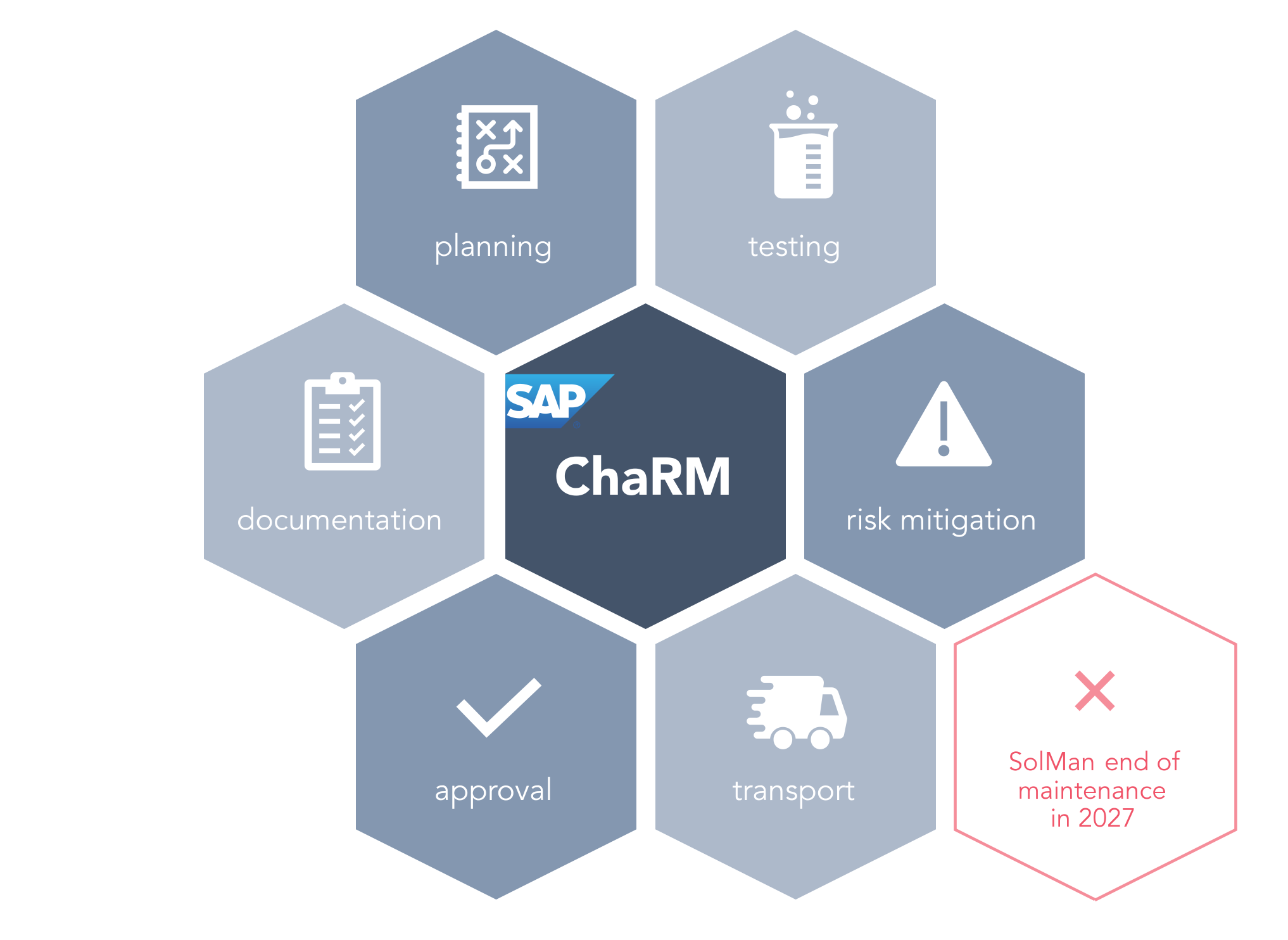
SAP Change Request Management (ChaRM) is a central component of SAP Solution Manager. It supports companies in managing changes in their SAP systems throughout the entire lifecycle – from request to productive implementation. ChaRM enables efficient automation, seamless documentation and traceability to ensure compliance. In addition, SAP ChaRM can also manage changes in non-SAP systems.

SAP ChaRM

Functionality and advantages of SAP ChaRM

How does SolMan ChaRM work?

SolMan ChaRM enables structured management of change requests and integrates all necessary processes and stakeholders. The central functions include:

Change Requests

A change request records all the necessary information for the approval of a change. Requests can be prioritized so that urgent changes are given priority and can be transferred to the target system before the end of the current production cycle.

Change Document

The approved change request leads to the creation of the change document, which describes the tasks for developers, testers and administrators. It explains which changes need to be made and who is responsible for implementing them.

Automated Workflows

Change requests run through predefined approval processes that can be adapted to specific requirements.

Transport Management

The CTS+ (Change and Transport System) is used to transport changes through the various phases such as development, testing and production. Change Request Management complements classic Transport Management and ensures efficient planning by enabling central control and monitoring of the entire change process.

Clear responsibilities in SolMan ChaRM are the key to an efficient and smooth change process. The requester creates the change request and justifies the change. The Change Advisory Board or the Change Manager checks and approves the request. After approval, the developer implements the change while the tester checks the functionality. Finally, the administrator takes care of the transport and implementation in the target system. These roles ensure that the entire process runs smoothly and transparently.

Advantages of SAP ChaRM

There are several advantages to using SAP ChaRM:

  • Central control: SAP ChaRM enables the central control of all change activities and transports.
  • More transparency and control: all changes are traceable and provide a complete overview, which is particularly important for companies with complex SAP environments.
  • Better compliance: by fully documenting the changes, companies can ensure that all regulatory requirements are met.
  • Project and status monitoring: SAP SolMan ChaRM allows you to check the progress of individual change requests and monitors the overall project status in real time.
  • Integration with ITIL processes: SAP Solution Manager (and therefore also ChaRM) follows ITIL best practices. This allows ChaRM to be integrated with other ITIL processes.

Disadvantages of SAP ChaRM

However, there are also disadvantages to using SolMan ChaRM:

  • Complexity: implementing ChaRM can be a complex task and often requires specialized knowledge. You also need trained personnel to operate the extensive tool.
  • Costs: using ChaRM may involve additional expenses, such as training and consultant costs.
  • Flexibility: although ChaRM can facilitate Change Management, it brings with it limitations in terms of flexibility. As a standard solution, ChaRM is difficult to customize to individual requirements.
  • Compatibility: it is important that ChaRM is compatible with existing solutions to ensure enterprise-wide processes. However, integration with other tools is usually complicated.

Overall, using Solution Manager requires expertise and many resources in order to use the tool efficiently and benefit from its features.

What role does ChaRM play in SAP Solution Manager?

SAP ChaRM is not a standalone tool, but rather a module of SAP Solution Manager. It leverages SolMan functions for ALM, test management, documentation, and technical system integration. This is precisely why the end of support for Solution Manager is also relevant for ChaRM users: Anyone currently using ChaRM for change and transport processes must determine well in advance how these processes will be continued after 2027.

What does the end of SolMan in 2027 mean for SAP ChaRM?

Mainstream maintenance for SAP Solution Manager 7.2 ends on December 31, 2027. Since SAP ChaRM is a module of Solution Manager, this date also affects companies that use ChaRM for SAP change and transport management. Under certain conditions, extended maintenance is available through the end of 2030; however, from a strategic perspective, companies should evaluate their ChaRM processes well in advance.

Change documents, audit trails, approval histories, ITSM integrations, and established process logic are particularly critical in this context. These should not be analyzed only shortly before the end of maintenance.

Cloud Strategies

For companies looking to transition to a fully cloud-based architecture, SAP Cloud ALM is the obvious choice.

On-Premises

If you continue to operate on-premises environments, solutions such as SmartChange might also be an option.

When is SmartChange a viable alternative to SAP ChaRM?

SmartChange is particularly relevant for companies that currently use SAP ChaRM for change and transport processes and wish to modernize these processes following the end of SolMan support. The solution combines SAP Transport Management, approval processes, documentation, and ITSM integration into a more streamlined setup. It also provides support for the ChaRM migration process.

SmartChange is especially suitable if:

  • ChaRM processes should be continued or streamlined
  • existing change documents and histories must be retained
  • SAP transports should be managed in a way that can be audited
  • Jira or ServiceNow should be integrated into SAP change processes
  • SAP Basis should not be permanently dependent on external consultants
  • hybrid SAP environments need to be covered

How can you successfully migrate from SAP ChaRM?

In an interview, Torsten Thal explains what companies should keep in mind when replacing ChaRM: secure migration, audit-compliant documentation, ITSM integration, and realistic project planning.

For years, companies have relied on SmartChange as an alternative to SAP ChaRM. SmartChange impresses with greater flexibility, fast implementation and functions that make SAP change management more efficient. With the imminent discontinuation of SAP Solution Manager, the question of a future-proof solution is becoming increasingly important. Companies that value simple adaptation to existing processes and smooth implementation will find a proven alternative in SmartChange.

After evaluating various alternatives, we opted for Transport Management from REALTECH SmartChange. We were impressed by the rapid implementation as well as the deep integration into SAP.

Massimo Cangi, CSS Versicherung | Here’s the success story

Kundenprojekt bei CSS

Conclusion: Future-proof SAP Change Request Management

For many companies, SAP ChaRM is a proven tool for structured SAP change request management. It integrates change requests, approvals, change documents, and transports into a traceable process. At the same time, ChaRM is closely tied to SAP Solution Manager – and is therefore affected by the end of support in 2027.

Companies should therefore assess early on which ChaRM processes are business-critical, which historical data and documentation must be retained, and which successor solution best supports their SAP strategy. For teams that wish to continue running ChaRM-related change and transport processes with less complexity, greater integration, and audit-ready documentation, SmartChange is a suitable alternative.

Find your SAP ChaRM alternative

How do you manage your SAP transports without ChaRM? Discover the ChaRM alternative from REALTECH. Find out how ChaRM and SmartChange compare to each other.

FAQs: SAP Change Request Management

SAP ChaRM (Change Request Management) is a component of the Solution Manager and supports companies in managing change requests by providing a structured process for planning, approving and implementing changes in the SAP system. It ensures transparency, traceability and compliance in SAP Change Management.

SAP ChaRM enables the creation and management of change requests that go through a flexible approval workflow. Changes are transported by Transport Management (CTS+) across all phases of the development, test and production cycle.

A change document documents all tasks and responsibilities associated with a change request. It describes the changes to be made and who is responsible for the respective steps.

SAP Cloud ALM can handle certain ALM and cloud scenarios from SAP Solution Manager, but it does not always replace SAP ChaRM on a one-to-one basis. Companies with complex change processes, custom approval workflows, retrofit scenarios, or extensive ChaRM change documents should carefully assess whether SAP Cloud ALM fully meets their requirements.

There is no one-size-fits-all replacement solution for SAP ChaRM. Depending on your specific situation, options may include SAP Cloud ALM, existing ITSM systems such as ServiceNow or Jira, specialized SAP change and transport management solutions, or custom process approaches. The key factor is whether the alternative reliably supports your existing approvals, transport processes, documentation, and compliance requirements.

The existing change documents will remain in SAP Solution Manager for the time being. However, companies should decide early on whether this data needs to be archived, exported, or migrated to a new solution – especially if it is relevant for audits, compliance, or future documentation.

In this article: