Simplify
SAP Change.
Automated
SAP Retrofit
Keep development and project lines automatically synchronized
Simplify
SAP Change.
Are you looking for a smart solution for your SAP change management? In a hands-on demo, you can learn how SmartChange automates transport management and optimizes release cycles in your company.
- Experience the functions of SmartChange in action
- Discover individual benefits for your company
- Discuss your scenario and ask us any questions you may have

Your personal contact:
Alexander Frei
Demos can be booked up to 3 weeks in advance. For a later or different date, please use the option “No slots available” on our demo page.
Privacy or firewall settings may block the form. In that case, please contact us by email.










Easy retrofitting of SAP development systems
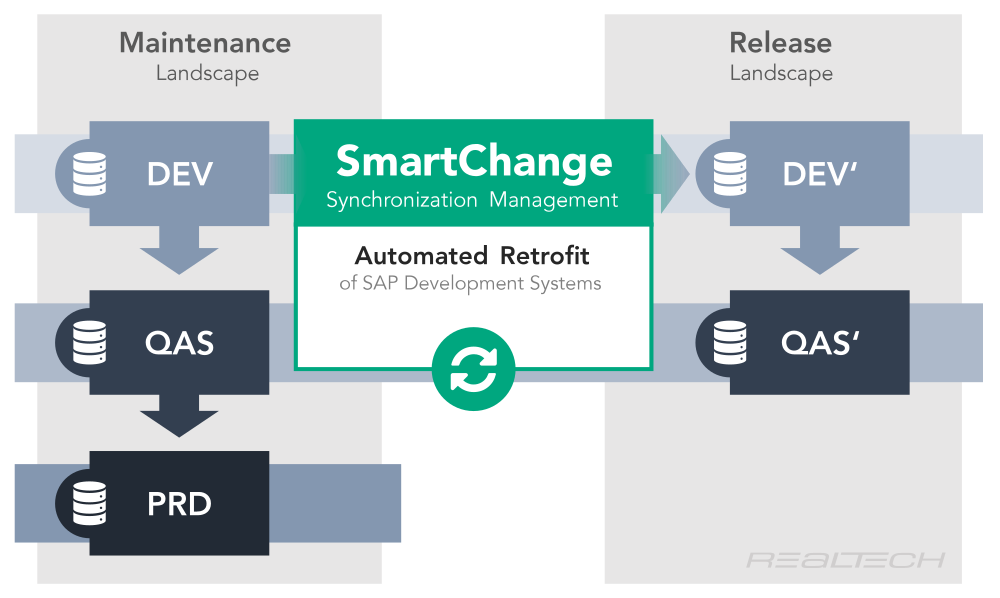
SmartChange enables automated SAP retrofitting. It allows you to synchronize SAP development systems easily, reliably and automatically, thereby freeing up valuable resources.
In order to minimize the risks for productive SAP systems in the event of changes, companies are increasingly relying on 5-system landscapes. Classic 3-system landscapes (DEV, QAS, PRD) are extended by an additional release landscape with a development system (DEV’) and a quality assurance system (QAS’).
Automatic alignment between development and project lines
SmartChange analyzes all changes, identifies differences between maintenance and release lines, and automatically reconciles objects. The process is rule-based, secure, and completely transparent – including quality checks and dependency checks.
Automated categorization of objects
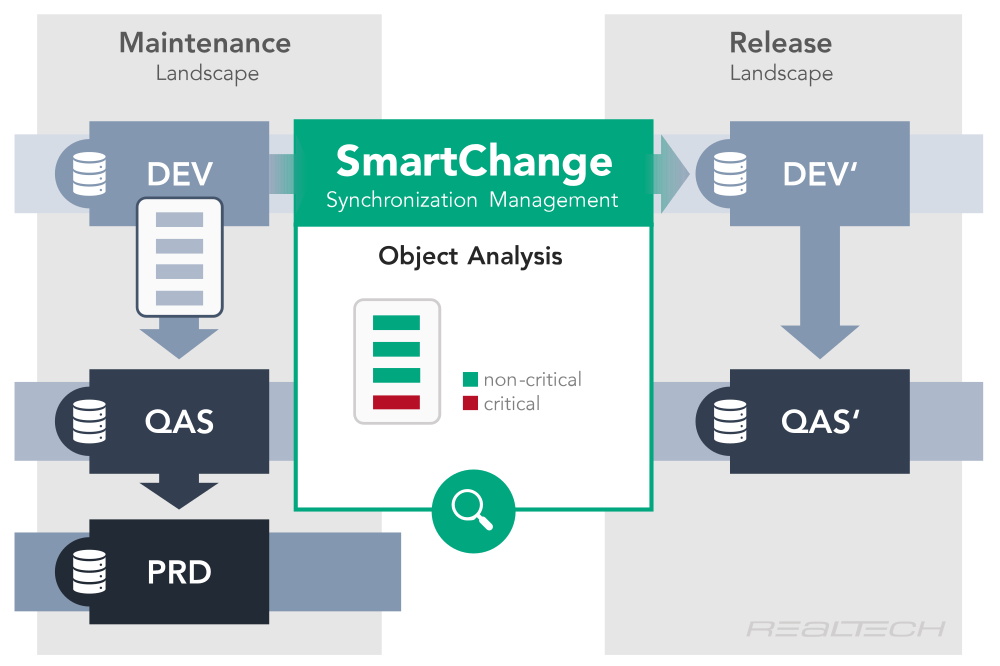
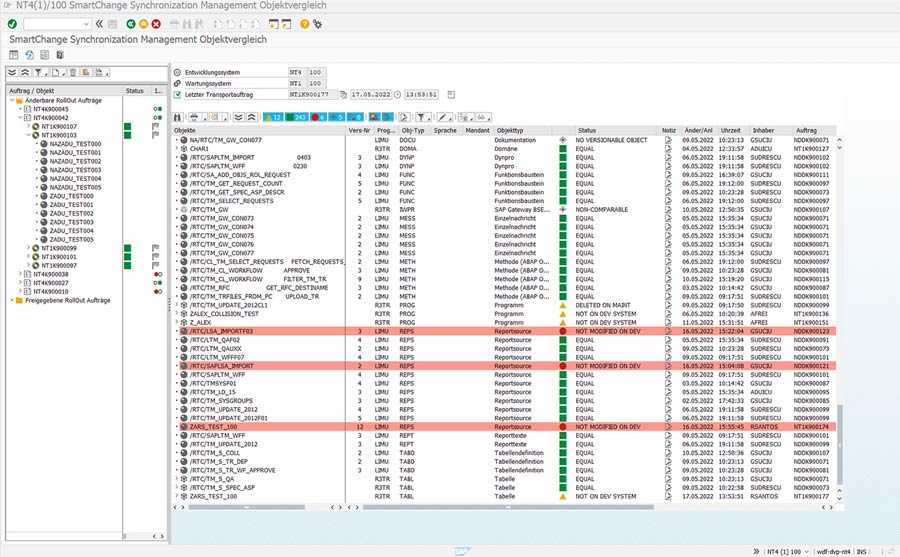
During the retrofit, the transport job is inspected in the maintenance system (DEV). SmartChange analyzes all workbench and customizing objects that leave the development system (DEV). These are automatically categorized into critical and non-critical objects depending on the modification status.
Workbench and Customizing Objects
Workbench objects:
- Automatic extension of synchronization for complex objects (e.g. maintenance views)
- Easy navigation from the object list to synchronization and rollout transports
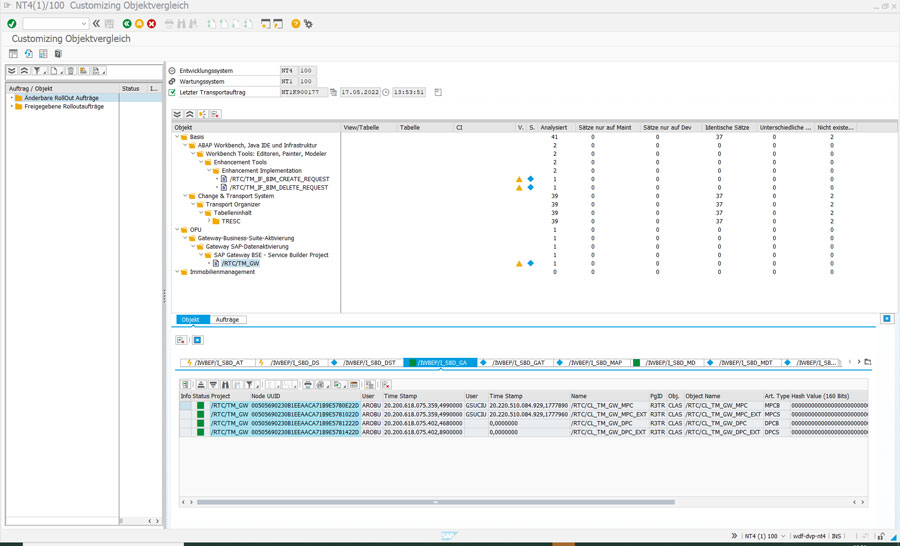
Customizing objects:
- Object analysis down to key level
- Analyzed objects are displayed in IMG context
- Easy navigation of objects in related IMG activities
Automatic import – manual control only where necessary
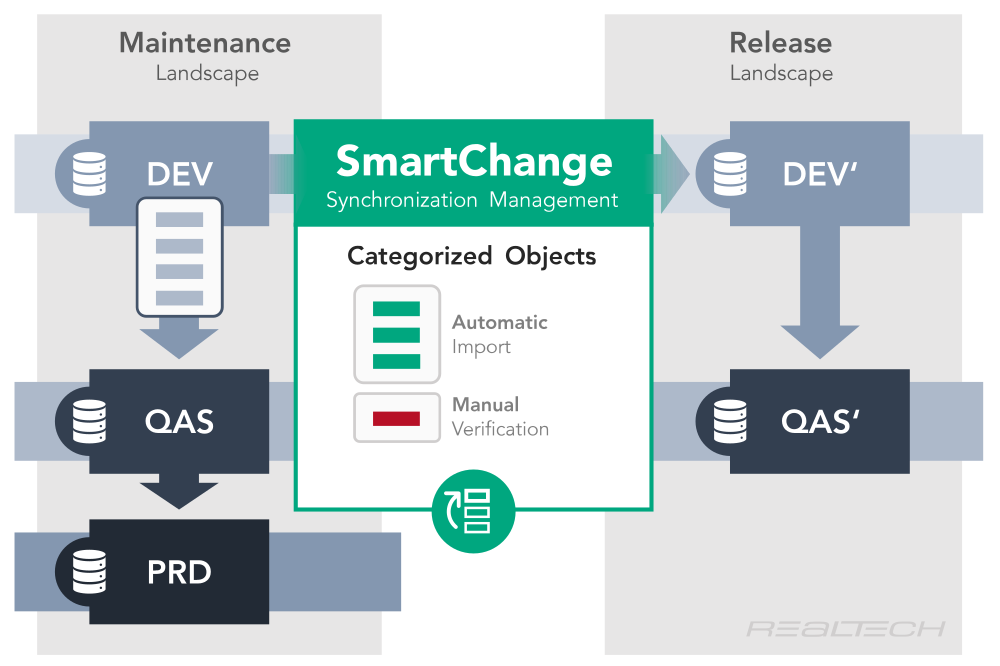
After categorization, SmartChange automatically creates transport requests for non-critical objects. Non-critical objects can thus be synchronized immediately. Critical objects, on the other hand, require manual verification. This ensures that no project-based changes are overwritten by the retrofit.
Synchronize SAP systems securely
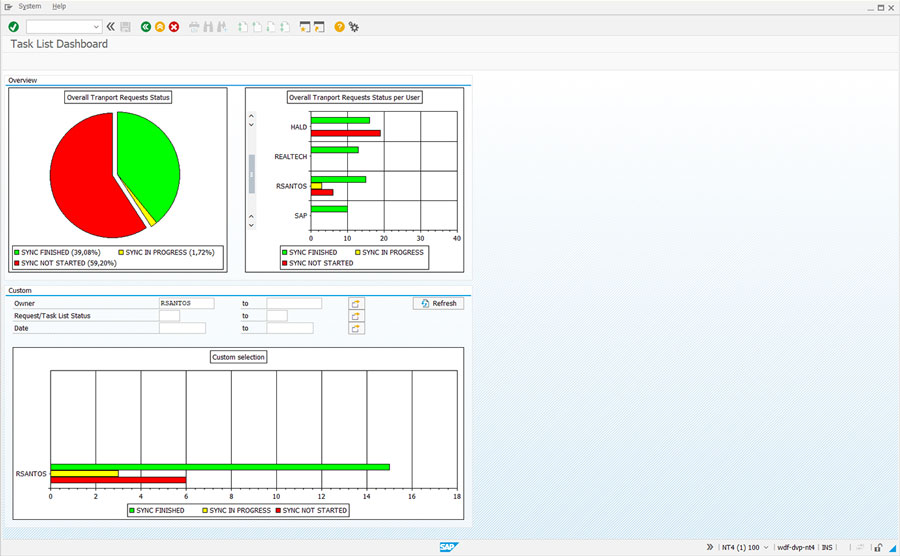
SmartChange ensures that SAP systems remain at the same level at all times. Automated analyses, clear rules, and integrated quality assurance prevent inconsistencies and make the comparison between development and project lines reliable and transparent.
Success Story Stadtwerke München
Efficiency in maintenance and development processes
The ability to synchronize most objects via transport requests reduces manual tasks for aligning development systems and maintenance landscapes to a minimum and significantly increases the efficiency of application development.